I’ve just started checking out Realm, and I REALLY like it; only issue is that you seem to always have to create new characters from scratch, and I like having my parties all using D&D Beyond.
With that said, I was wondering if D&D Beyond Character Importing (or, if possibly, syncing) is a future possibility or on the roadmap. You already have UVTT importing which is AMAZING for map creation from apps like Dungeon Alchemist, so if you can allow for easy character imports as well, I think that’ll make Realm the “perfect cheap VTT” in my opinion, but idk.
I’d love to explore a D&D Beyond Character import feature. We’re limited in what we can reliably achieve there due to the lack of an API on the D&D Beyond side, but we’ll look into it!
I did more research into this today and decided the best way to handle it for now is to allow import of Character JSON only – since this seems to be accessible via D&D Beyond.
We’ve just released a new feature for this! Please try it out and let me know, there may need to be some fixes for some things. I suggest renaming existing characters first just in case.
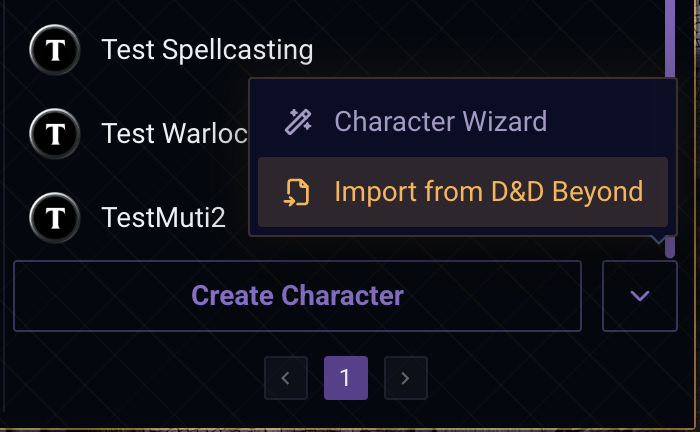
You’ll now click the down arrow button right of “Create Character” (as shown) to get to the Wizard or the Import Modal.
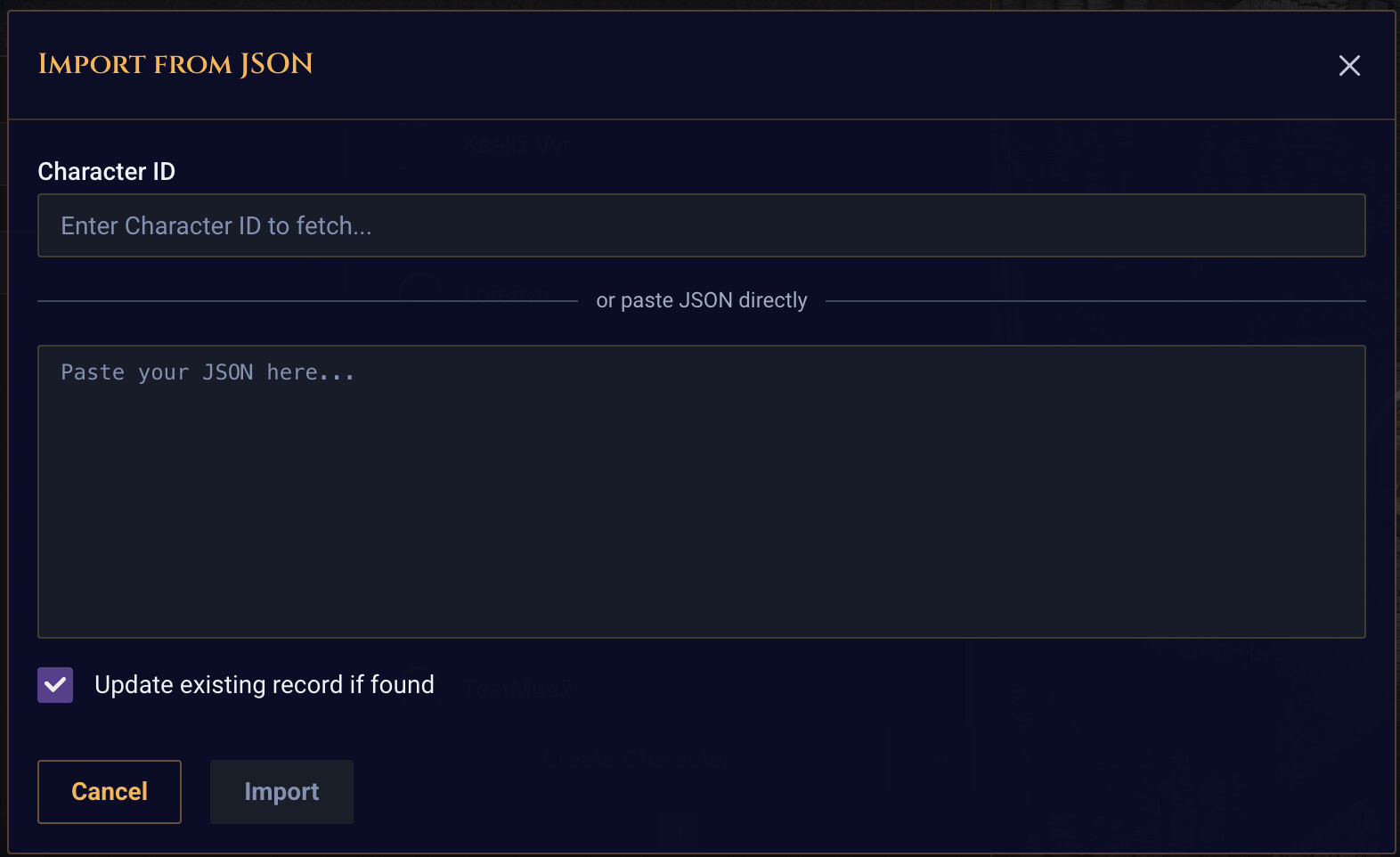
Then, you’ll see the modal appear. Here you can enter the character ID (the number at the end of your Character’s URL, e.g. D&D Beyond Character Sheet → 152570675).
That will only work if your character is public. If it is not, you’ll have to set it as public first, else you can go to https://character-service.dndbeyond.com/character/v5/character/yourIdHere (replace yourIdHere) and copy-paste that JSON into the second field, then click Import. It might take a bit for larger characters, but should bring over Classes, Subclasses, Species, Backgrounds, etc, and use existing records your have for them in Realm VTT if found (else it will create one-off ones in the character.)
Give it a shot and let me know! The “Update Existing Record If Found” checkbox is so you can re-sync existing characters of the same name.
Just tried it out; that’s a REALLY GOOD import tool!
Only gripe I have is that customized actions & items stick with the default names & stats, so that might need some extra modification (idk, I’m not used to working with Beyond’s API)
Other than that, though, it looks really good!
I’m assuming you’re gonna try and get syncing (after importing) with Beyond for live updates EVENTUALLY, based on what I’ve seen from other forum posts & threads in the Discord; here’s to hoping you can get that figured out soon; amazing work so far btw!
Thank you! And thanks for testing – if you have an example of one that is parsing strange (like you mentioned with the custom actions) feel free to DM me a public facing character ID and then I can take a look at the JSON and it get working nicer
And for sure - for now, you can re-sync when something changes in D&D Beyond that you want added to your Realm version. For the live updates, I’ll need to play more with D&D Beyond and see what we can do there (likely it will require something a bit more complex like a Chrome extension.)
Follow-up; I’ve found another issue, specifically regarding tokens.
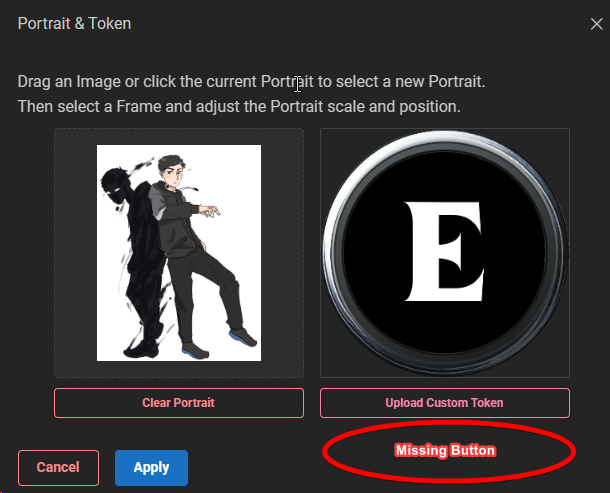
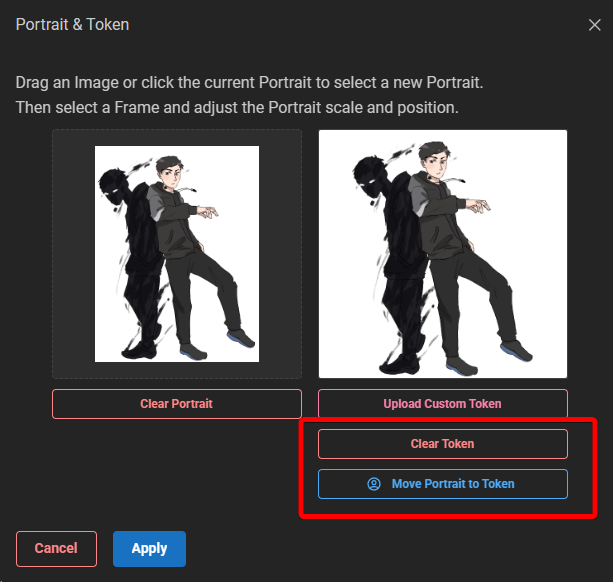
It’s a minor issue, but whenever you import a character with a portrait, it doesn’t let you work with the token creator until you manually reimport the portrait. You can still work with it, mind you, but if you don’t have your character’s image file on-hand, you can’t modify the token without manually downloading the image from your character/Beyond sheet and re-importing it.
The first image below shows what it looks like on import, and the second image is what I think it’s expected to look like so the token can be modified.
Correct, that’s actually intended right now. Because the image during import just pulls the same URL from D&D Beyond, we can’t copy it to the Token Tool without hitting CORS errors. (Security from D&D Beyond that prevents us from doing so.)
So you’ve done it the right way here, downloading manually and re-uploading it to Realm so you can create a token.
 !
!